How to choose your first Digital Back Office work area
Begin with one recurring job, one responsible person, and a few questions worth answering before setup.
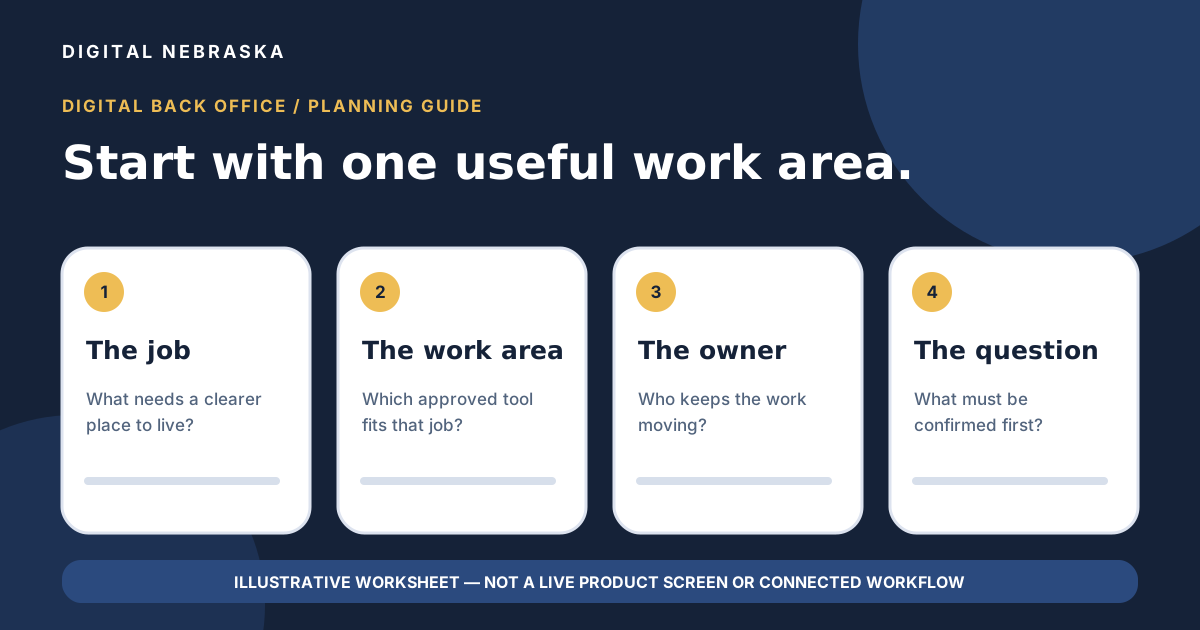
Digital Back Office includes several ways to organize everyday business work. That does not mean you need to set up every area at once. A more useful first conversation is about one recurring job, who owns it, and what information they need. This guide is a planning exercise—not a picture of a live workspace or a promise that separate modules connect automatically.
Start with the job, not the feature list
Pick a task that happens often enough for your team to recognize it. It might be keeping customer context together, managing appointment requests, collecting information through a form, or tracking a project. Describe the task in the words your team uses today before deciding which Digital Back Office area to explore first.
Write one sentence: “When [this kind of work] arrives, [this person] needs [this information] to decide [the next step].” This is a worksheet prompt, not a claim about what the platform does automatically.
Make a short working brief
Bring these six answers to an initial setup conversation. If an answer is unclear, mark it as a question rather than assuming the software will make the decision for you.
- Job: What recurring work are you trying to organize?
- Starting information: What facts does your team need before acting?
- Owner: Who will review and keep this work current?
- Next action: What decision or follow-up belongs to a person?
- Exception: What should happen when the usual path does not fit?
- Review: What would tell you that the chosen work area is useful enough to keep using?
Match one work area to the brief
The approved Digital Back Office areas include CRM/customer interactions, email marketing, social post scheduling, a booking calendar, forms, project management, a knowledge base, and automations. Use the names as a menu of places to ask about, not as evidence that every step is already configured or connected.
- If customer details are scattered, ask how the CRM workspace would hold the interactions your team needs to review.
- If appointments are the starting issue, ask which booking-calendar choices and human confirmation steps matter to your business.
- If repeated questions slow the team down, ask which approved information belongs in a knowledge base.
- If a form, email, social post, project task, or automation seems relevant, name the specific job and ask what setup and review it would require.
These are evaluation questions. They do not promise a particular integration, data transfer, campaign result, or automated behavior. Confirm any cross-area workflow with Digital Nebraska before treating it as part of your plan.
Decide who will keep the work moving
Digital Back Office includes up to three users from the start; additional users are $19 per month each. Choose who needs access first, who can approve customer-facing messages or posts, and who will handle the exceptions your working brief identifies. This is a team decision, not a claim about a particular permissions feature or staffed managed service.
Keep the phone decision separate
The AI Phone Agent is native to the platform, but an active phone-service subscription is separate unless included in the complete bundle. If calls are the main job you need to solve, review the phone path and its current terms rather than assuming the standalone Back Office plan includes active answering.
Standalone Digital Back Office is $99 per month, month to month, for up to three users. Potential metered charges, including text-message usage, are additional. The Digital Back Office offer page has the full module, support, billing, data-request, and bundle details.
Bring the brief to the next conversation
A sales agent can help with initial setup. Share the first job you chose, the six-line brief, and any questions about how a work area behaves before you commit to a process. If a capability or connection is essential to your business, ask for its exact scope instead of relying on an illustration or a general feature name.
Ready to map that first work area? Tell Digital Nebraska what your team is trying to organize, or review the Digital Back Office terms before starting.